 Skip to content
 HomePlay
A tiny screen on your desk, watching you.
HomePlay is a little thing that lives on your Mac's desktop. Most of the time it shows the time and keeps you company with a pair of eyes. Press firmly, and it becomes CarPlay.

A machine that looks at you should first learn when not to.
HomePlay is an answer to an old question: once a machine has a face, how should it behave around people?
- 1984
A machine says hello
The Macintosh started up with a smiling little computer on its screen, and at its launch it said hello out loud. From then on, a computer was not just a tool; it was something that answered you.
- 1995
Good technology stays nearby
At Xerox PARC, Mark Weiser and John Seely Brown wrote about calm technology: it rests at the edge of your attention, steps into the middle only when needed, and steps back out again.
- Today
Most screens compete for you
Notifications, red badges, autoplay. Screens have become very good at calling for you, and very bad at being quiet.
HomePlay takes the other road. Most of the time it just watches, without a sound. It lights up when you come close, keeps still while you work, and late at night it falls asleep before you do. A pair of eyes is just enough to say "I'm here" without asking you to answer.
Move your pointer and it looks at you. Stop for a moment and it closes its eyes.

It notices what you do.
The island is nothing but a pair of eyes, and all ten expressions come from their shape. Point at any row below to see how it reacts.
Press firmly, and it becomes CarPlay.
Not a recording, and not a fake interface. Your iPhone sends real CarPlay video and sound to this little screen, and a tap on it is a tap in the car.
Wireless
Pairs over Bluetooth, then streams over Wi-Fi.
--source wireless
Wired
Plug in a cable and go. No Wi-Fi needed.
--source usb
A window
Captures the CarPlay Simulator window, handy for development.
--source window
Both wireless and wired need an accessory identity you provide yourself. See the questions at the bottom.
Give it a spin.
Built to the real proportions: a bell-shaped base, one stainless steel hinge, and a single thin screen leaning back 16°. On your desktop it works the same way: drag to turn it.


Drag it left or right, or keep scrolling

Five finishes. Pick your favorite.
Switch in the right-click menu under Finish. It remembers your choice.
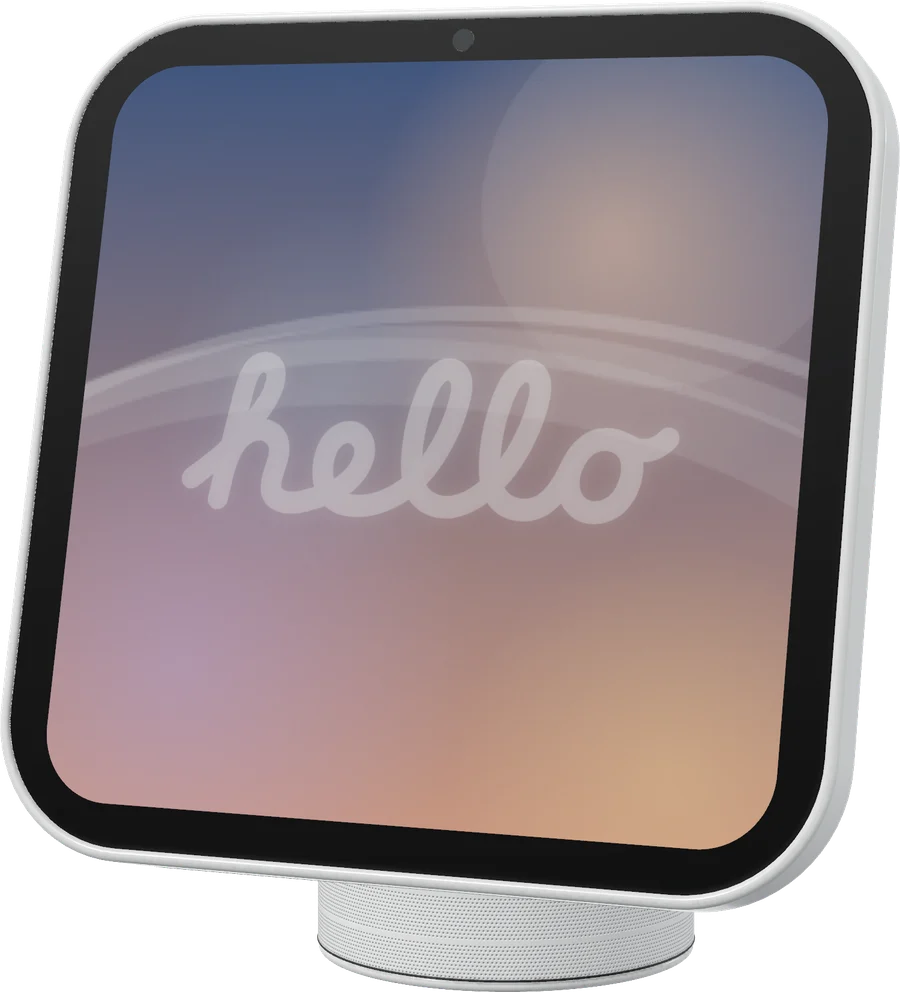
Glossy white with a little turn-of-the-millennium Mac in it: an Aqua blue screen, and it turns toward your pointer like a sunflower.
Morning to night, it has a mood for each.
It starts with hello
It slowly writes hello in script, a nod to the 1984 Macintosh.
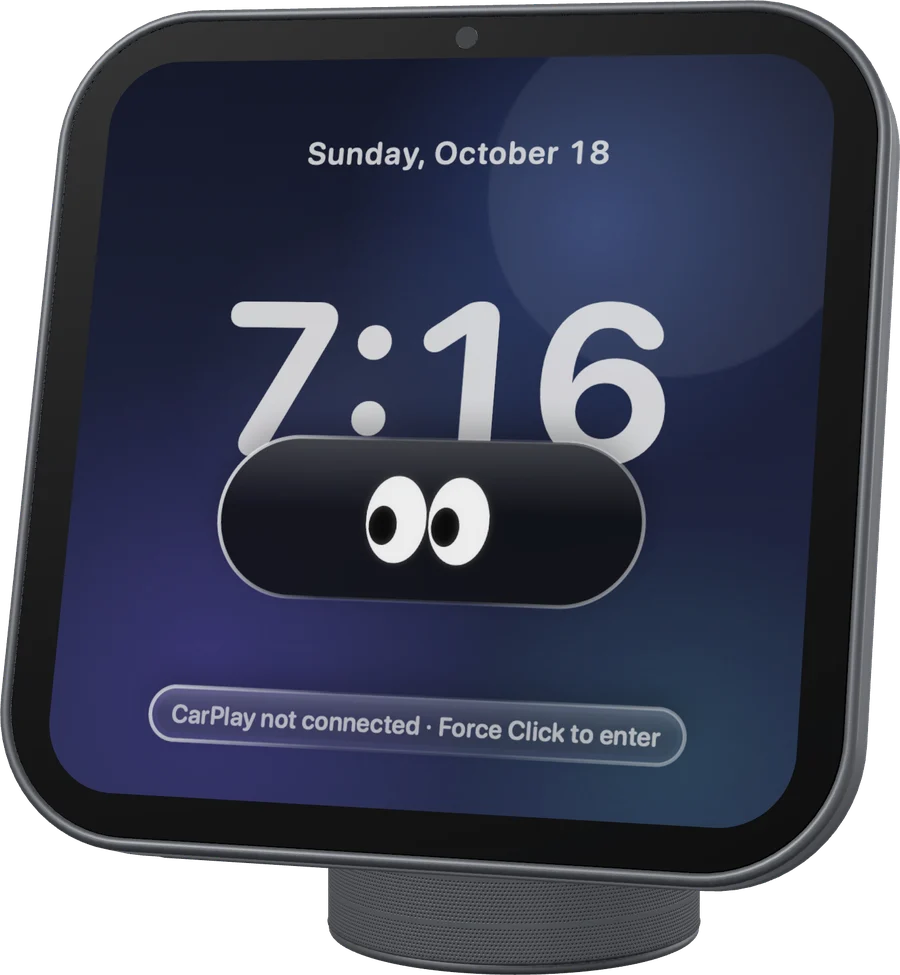
From afar, it stays quiet
With nobody near, the screen dims and the digits thin out. Bring your pointer close and it lights up.
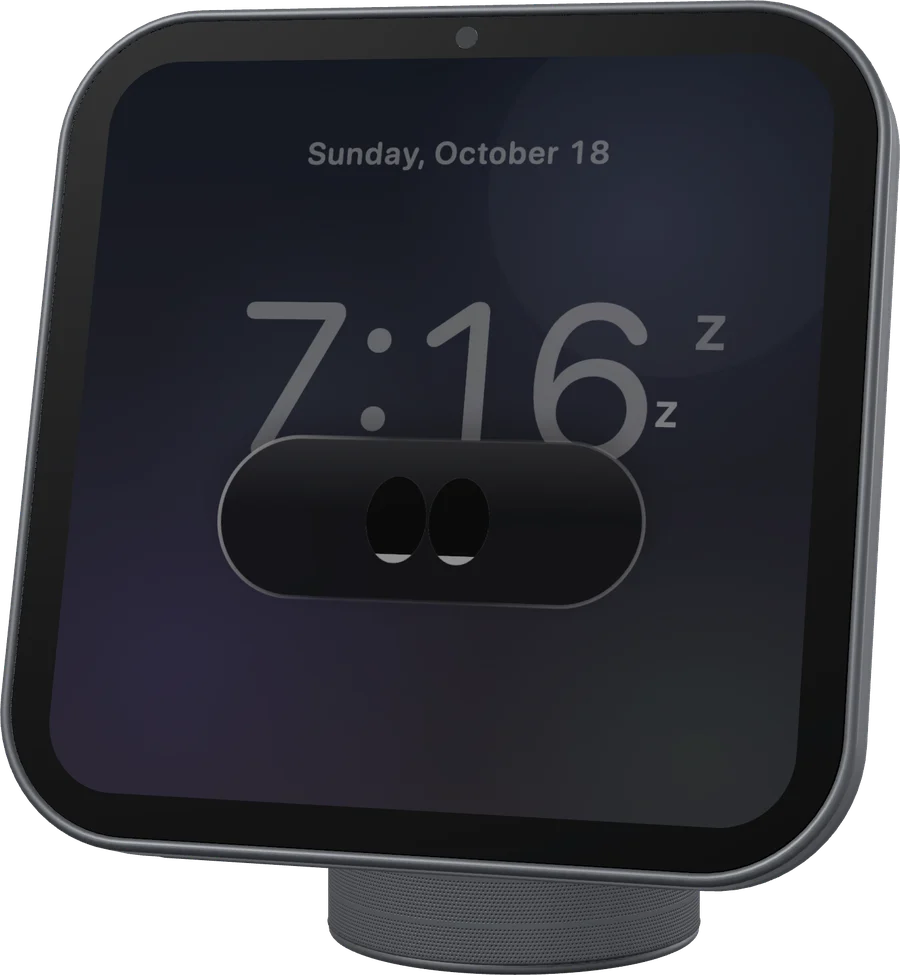
Late at night, it sleeps first
Leave it alone in the evening and it dozes off, then falls asleep. One touch wakes it.
Build it, and it's yours.
There is no installer yet; the source is everything. You need:
- A Mac on macOS 14 or later, with Xcode or the Swift 6 toolchain
- Just the pet: nothing else
- For CarPlay: an iPhone and an accessory identity; wireless also needs Wi-Fi
# Build
swift build -c release
B=.build/release

# Just the pet
$B/homeplay-pet

# CarPlay: wired if plugged in, wireless if not
$B/homeplay-receiver --source auto --ssid '<Wi-Fi name>' --port 8788
$B/homeplay-pet --endpoint ws://127.0.0.1:8788Questions
Is this an Apple product?
No. HomePlay is a personal experiment with no connection to Apple and no certification of any kind. CarPlay and HomeView are trademarks of Apple Inc., used here only to describe what it does.
Will it distract me or slow my Mac down?
Not much. It hides itself while a full-screen app is in front, and when it sleeps it draws one frame per second. The pet makes no sound; you only hear CarPlay when CarPlay is playing.
Which languages does it speak?
English, 简体中文 and 繁體中文. It follows your system by default, and you can switch under Language in the right-click menu.
Why is there no download?
It is still an experiment, so there is no installer. The source is public, and the commands above build it.
What does CarPlay need?
Wireless and wired both need an accessory identity (identity.pk8 and certificate.p7b), pointed to with --identity-dir. The public source ships no identity at all; where it comes from, and whether it is lawful to use, is your own responsibility.
What license is it under?
GPL-3.0-or-later. The CarPlay connection follows how MacPlay and LIVI do it, rewritten in Swift; the credits are in NOTICE.